
Tablet Sustainability 2026
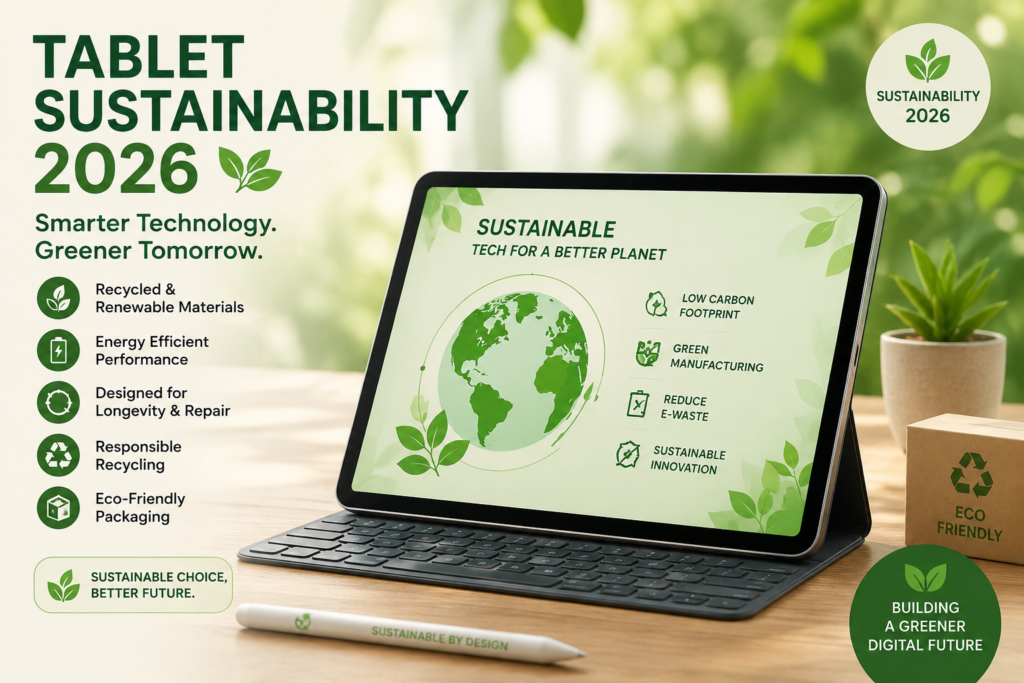
Tablet Sustainability 2026 is becoming a more practical buying consideration for American households—not simply an environmental one. A tablet that lasts several years, uses energy efficiently, can be repaired or refurbished, and avoids an early trip to the recycling bin can help reduce electronic waste while saving money over time.
For families, renters, and homeowners in the U.S., the most sustainable tablet is not necessarily the newest or most expensive model. In many cases, choosing a durable device, keeping it longer, buying certified refurbished equipment, replacing a battery or other serviceable component when practical, and responsibly recycling an old tablet can make a bigger difference.
There is also a growing reason to look beyond marketing claims. U.S. shoppers can check recognized programs and standards when comparing devices, including ENERGY STAR for energy efficiency and EPEAT for broader environmental criteria. The U.S. Environmental Protection Agency (EPA) also provides guidance around electronics reuse, donation, refurbishment, and responsible recycling.
Quick takeaway: If your goal is a more sustainable tablet in 2026, focus on long usable life, repairability, energy efficiency, refurbished options, responsible materials, and end-of-life recycling rather than buying based on a “green” label alone.
That approach can be especially useful for households trying to cut unnecessary waste and keep more money in their budget. After all, the tablet you do not need to replace next year is often the most sustainable one you already own.
What Is Tablet Sustainability in 2026?
Tablet Sustainability 2026 is about looking at the environmental impact of a tablet across its entire life—not just how much electricity it uses while charging. For U.S. households, that means considering how long a device lasts, whether it can be repaired or refurbished, how efficiently it uses energy, what materials go into it, and what happens when it finally reaches the end of its useful life.
In simple terms, a more sustainable tablet is one that stays useful for longer and creates less waste over its lifetime.
That matters because replacing an otherwise working tablet every two or three years can create unnecessary electronic waste and increase household spending. Keeping a device for another year or two, when it still meets your needs, can often be a more practical sustainability decision than upgrading simply because a newer model is available.
What Makes a Tablet More Sustainable?
There is no single feature that determines whether a tablet is sustainable. Instead, look at several factors together:
| Sustainability factor | What to look for |
|---|---|
| Long usable life | Reliable hardware and software support for several years |
| Repairability | Battery or other components that can be serviced when practical |
| Energy efficiency | Efficient charging and low energy consumption |
| Materials | Recycled or responsibly sourced materials where disclosed |
| Packaging | Reduced or recyclable packaging |
| Refurbishment | Certified or reputable refurbished programs |
| End-of-life options | Manufacturer take-back, reuse, donation, or responsible recycling |
For American shoppers, these details can be more useful than a vague “eco-friendly” claim on a product page.
How EPA, ENERGY STAR, and EPEAT Fit In
The U.S. Environmental Protection Agency (EPA) encourages consumers and businesses to consider reuse, donation, refurbishment, and responsible recycling when dealing with unwanted electronics. That makes the end-of-life stage an important part of tablet sustainability—not an afterthought.
ENERGY STAR is another useful reference for U.S. consumers looking at energy efficiency. When comparing eligible electronics, an ENERGY STAR designation can help shoppers identify products that meet applicable energy-efficiency requirements.
EPEAT takes a broader approach. The EPEAT ecolabel evaluates electronic products against environmental criteria covering areas such as materials, supply chains, energy use, product longevity, and end-of-life management. EPEAT Gold represents a higher level within the EPEAT rating system, although shoppers should still check the specific product and current criteria rather than assuming every model from a manufacturer has the same rating.
Does Buying a Refurbished Tablet Count as Sustainable?
Often, yes.
A good-quality refurbished tablet can extend the useful life of hardware that might otherwise be discarded. For a family looking to spend less, this can create a practical middle ground between buying a brand-new device and continuing to use an old tablet that no longer performs well.
For example, instead of spending $500–$800 on a new tablet, a buyer might find a reputable refurbished model for considerably less, depending on the model, storage, condition, warranty, and seller. The exact savings vary, so it is worth comparing the total price rather than assuming every refurbished deal is a bargain.
Look for a clear refurbishment process, battery information where available, warranty coverage, return terms, and a reputable seller.
Sustainability Is Also About Using What You Already Own
This is an easy point to overlook.
If your current tablet still works well for browsing, streaming, schoolwork, recipes, video calls, or basic productivity, keeping it in service may be the simplest sustainable choice. You do not necessarily need to replace a device just because a newer generation has arrived.
When an upgrade really is necessary, consider passing the old tablet to another family member, donating it, selling it, or using an appropriate manufacturer or electronics recycling program. Before doing so, back up your data and perform a proper factory reset.
Bottom line: Tablet Sustainability 2026 is less about finding a tablet with the “greenest” marketing message and more about making smarter decisions throughout the device’s life—from purchase and everyday use to repair, reuse, refurbishment, and recycling.
Why Sustainable Tech Is Winning Over US Consumers?
For many Americans, sustainable technology is no longer just an environmental choice. It is becoming a practical household decision. A parent may want a tablet that lasts through several school years. A renter may prefer a reliable refurbished device instead of paying full price for a new one. And a homeowner may simply want to reduce the amount of electronics ending up in the trash.
That is one reason Tablet Sustainability 2026 is becoming more relevant to everyday technology decisions in the U.S. Consumers are increasingly looking beyond screen size, processor speed, and storage. They are asking a different question: How long will this device actually remain useful?
Several factors can influence that answer:
- How long the manufacturer provides software and security updates
- Whether the tablet can be repaired or serviced
- Battery longevity
- Energy efficiency
- Availability of refurbished models
- Recycled or responsibly sourced materials
- Packaging and shipping practices
- Manufacturer take-back and recycling options
Certifications can also help shoppers make more informed comparisons. ENERGY STAR can be useful when energy efficiency is a priority, while EPEAT evaluates broader environmental considerations for qualifying electronics. An EPEAT Gold rating can provide an additional sustainability signal, but consumers should still check the specific model rather than relying on a company’s general environmental claims.
For families watching their budgets, the appeal is straightforward: a device that lasts longer may reduce the need to buy another one sooner.
That combination of environmental responsibility and practical savings is helping sustainable technology move from a niche interest into a mainstream purchasing consideration.
Tackling the Growing E-Waste Problem in America
The sustainability conversation becomes more important when an electronic device reaches the end of its useful life.
The U.S. generates millions of tons of electronic waste, including unwanted computers, phones, tablets, televisions, and other consumer electronics. The problem is not simply the amount of material involved. Electronics contain valuable materials that can potentially be recovered, while some components require proper handling rather than disposal with ordinary household garbage.
The U.S. Environmental Protection Agency (EPA) encourages consumers to consider reuse, donation, refurbishment, and responsible recycling as alternatives to simply throwing unwanted electronics away.
For a tablet owner, that creates a simple hierarchy:
Use it longer → repair when practical → reuse or donate → refurbish/resell → recycle responsibly.
This is where individual household decisions can make a difference.
Suppose a family has an older tablet that still works well for streaming, reading, homework, recipes, or video calls. Replacing it immediately with a newer model may not provide much practical benefit. Keeping that existing device in use for another year can avoid an unnecessary purchase and delay the environmental impact associated with manufacturing and transporting a replacement.
When a tablet truly reaches the end of its useful life, recycling is preferable to putting it in the regular household trash. Consumers can look for manufacturer take-back programs, local electronics recycling options, or other EPA-recommended recycling resources available in their area.
Quick takeaway: The most sustainable tablet is often the one that stays in useful service the longest and is properly reused or recycled when its working life is over.
The Financial Case: How Eco-Friendly Devices Reduce Long-Term Tech Expenses
Sustainability does not have to mean spending more.
In fact, one of the strongest arguments for sustainable technology is financial. A tablet that remains useful for five years can be a better household investment than one that needs to be replaced every two or three years.
Consider a simple example.
If a family spends $500 on a tablet and keeps it for five years, the hardware purchase works out to about $100 per year. If another device costs $350 but needs replacing after two years, the effective hardware cost is about $175 per year.
These are only illustrative calculations—the actual value depends on purchase price, repairs, accessories, resale value, and how long the device remains useful. Still, the principle is worth considering.
Where the Savings Can Come From?
| Sustainable choice | Potential financial benefit |
|---|---|
| Keep a tablet longer | Delays the cost of buying a replacement |
| Buy reputable refurbished hardware | Lower upfront purchase price |
| Repair instead of replace | May avoid a full-device purchase |
| Choose efficient hardware | Can reduce electricity use over time |
| Resell or trade in an old tablet | Recovers part of the original investment |
| Donate or reuse | Extends the value of hardware instead of discarding it |
Refurbished technology deserves particular attention in the U.S. market. A properly refurbished tablet can offer a lower entry price while keeping an existing piece of hardware in circulation. However, “refurbished” does not automatically mean “better.” Check the seller’s reputation, warranty, return policy, battery condition, cosmetic grading, and what was actually tested or replaced.
The same thinking applies to upgrades. If a tablet is still fast enough for the tasks you perform every day, buying the newest model may not be the most economical—or sustainable—choice.
A Smarter Way to Think About Tablet Value
Instead of asking only “How much does this tablet cost?”, consider asking:
“How much useful life am I getting for my money?”
That small change in perspective connects sustainability with everyday budgeting. For American families, renters, and homeowners, it can mean fewer unnecessary upgrades, less household e-waste, and more value from every technology purchase.
Ultimately, Tablet Sustainability 2026 is not about buying the most expensive “green” device. It is about choosing technology thoughtfully, keeping it useful for as long as practical, and making responsible decisions when it is finally time to move on.
5 Smart Rules to Choose a Sustainable Tablet
Choosing a sustainable tablet in 2026 does not have to be complicated. You do not need to compare every environmental claim on a product page. For most U.S. shoppers, five practical checks can narrow the choice quickly: repairability, software support, refurbished value, credible certifications, and responsible end-of-life options.
These rules are especially useful for American families, renters, and homeowners who want to reduce electronic waste without paying a premium simply for a “green” label.
Quick takeaway: For Tablet Sustainability 2026, prioritize a tablet you can keep longer, support with software for years, repair when practical, buy at a sensible price, and eventually reuse or recycle responsibly.
Rule 1: Prioritize High Repairability & Modular Design
A tablet becomes harder to keep in service when a failed battery, charging component, or screen effectively means replacing the entire device.
Before buying, look for information about repairability, parts availability, battery replacement, repair manuals, and access to service. Independent resources such as iFixit can also be useful when a specific tablet has been reviewed or scored. However, an iFixit repairability score should be treated as one piece of evidence—not a complete sustainability rating.
A tablet with a repairable battery is particularly interesting for long-term ownership. Batteries naturally lose capacity with repeated use, so the ability to service a worn battery can potentially extend the useful life of the device.
What to check:
- Is the battery replaceable or serviceable?
- Are replacement parts available?
- Does the manufacturer provide repair documentation?
- Can independent repair shops service the device?
- Is the tablet designed so common repairs can be performed without excessive difficulty?
Smart buying rule: Do not judge sustainability by materials alone. A tablet that can realistically stay in use for years is often more valuable than one with impressive packaging claims but limited repair options.
Rule 2: Demand Extended Software Support
A tablet can remain physically functional while becoming less useful—or less secure—because software support ends.
That is why buyers should check the manufacturer’s published information about operating-system updates and security support before purchasing. A specific “5+ years” promise should not be assumed for every tablet; support periods vary by manufacturer and model.
For a family tablet used for banking, school accounts, email, shopping, or personal information, security updates are especially important.
Ask:
“How long will this exact model receive security updates?”
Do not rely solely on a salesperson’s statement or a vague phrase such as “long-term support.” Look for an official manufacturer policy or product support page when available.
Longer software support can also improve the financial side of sustainability. If a tablet remains secure and compatible with the apps you actually use, you may be able to postpone replacement.
Best practice: Compare the expected software-support period alongside the purchase price. A slightly more expensive tablet that remains useful for substantially longer may deliver better value over its lifetime.
Rule 3: Consider Certified or Reputable Refurbished Tablets
Buying refurbished can be one of the simplest ways to reduce the demand for new hardware while lowering the upfront cost.
But there is a difference between a professionally refurbished device with testing and warranty coverage and a used tablet sold with little information about its condition.
Prices vary considerably by model, storage capacity, age, condition, and seller, so a fixed claim such as “refurbished tablets always save 20%–40%” is too broad. Instead, compare the actual refurbished price against the current new price for the same or closely comparable configuration.
For example:
| What to compare | Why it matters |
|---|---|
| Refurbished price | Shows your actual upfront savings |
| New equivalent price | Provides a realistic benchmark |
| Battery condition | Helps estimate remaining useful life |
| Warranty | Reduces the risk of unexpected repair costs |
| Return period | Gives you time to test the device |
| Cosmetic grade | Explains the physical condition |
| Software support | Determines how long the tablet may remain practical |
For U.S. households on a budget, this approach can make sustainability more affordable.
Smart rule: Do not buy refurbished simply because it is cheaper. Buy refurbished when the price, condition, warranty, battery health, and remaining software support make sense together.
Rule 4: Verify Recognized Eco-Certifications
Environmental labels can be useful, but they should not all be treated as interchangeable.
For U.S. consumers, ENERGY STAR and EPEAT are two recognized programs worth understanding.
ENERGY STAR focuses on energy efficiency for qualifying products. EPEAT takes a broader approach to electronics and considers environmental criteria that can include materials, energy, product longevity, supply-chain factors, and end-of-life considerations.
An EPEAT Gold rating can be a useful signal when comparing qualifying products, but check the specific product listing and current registry information. A manufacturer having sustainability initiatives does not automatically mean every tablet it sells carries the same certification or rating.
Before purchasing, ask:
- Is the exact tablet model covered by the certification?
- Is the certification current?
- What criteria does the certification actually evaluate?
- Is the claim coming from an independent program or only from the manufacturer’s marketing?
This extra minute of checking can help separate meaningful environmental information from vague “eco-friendly” language.
Rule 5: Use Trade-In Programs and Responsible E-Waste Recycling
Sustainability does not end when you buy a new tablet.
If your old device still works, trade-in, resale, donation, or passing it to another household member can extend its useful life. If it is no longer practical to use, responsible electronics recycling is the better route.
The EPA’s electronics guidance emphasizes options such as reuse, donation, refurbishment, and responsible recycling. However, it is important to distinguish this from the phrase “EPA-certified recycling.” The EPA does not generally certify every local electronics recycler. Instead, consumers should use reputable recycling programs and, where appropriate, look for recognized electronics-recycling standards and certified recyclers.
Before handing over an old tablet:
- Back up important photos and files.
- Sign out of Apple, Google, or other accounts.
- Remove SIM or memory cards where applicable.
- Perform a factory reset.
- Confirm the recycler or trade-in provider accepts your device.
- Follow the provider’s instructions for damaged or swollen batteries.
For U.S. households, manufacturer trade-in programs can also be worth checking. Depending on the device and current promotion, you may receive a credit toward another purchase rather than simply throwing the old tablet away.
A Simple 5-Point Tablet Sustainability Checklist
| Rule | What a smart U.S. buyer should look for |
|---|---|
| 1. Repairability | Serviceable components, parts, and repair information |
| 2. Software support | A clear, manufacturer-backed security-update policy |
| 3. Refurbished value | Reliable seller, testing, warranty, battery information, fair price |
| 4. Certifications | Verify applicable ENERGY STAR or EPEAT information for the exact product |
| 5. End of life | Trade-in, reuse, donation, or responsible electronics recycling |
The bigger picture is simple: sustainable technology is not about finding a perfect tablet. It is about making a better decision at every stage of ownership.
For someone researching Tablet Sustainability 2026, that means looking beyond the box and asking how long the device can realistically stay useful, how much it costs per year of ownership, and what happens to it when you are finished with it.
That is a much more practical way to make an environmentally responsible technology purchase in the United States.
Sustainable Tablet Buying Checklist (At-a-Glance Summary Table)
If you are comparing tablets in the U.S., you do not need to read every specification before making a decision. For Tablet Sustainability 2026, start with the features that have the biggest effect on how long you can keep the device, how much you spend over its useful life, and what happens when you are finished with it.
Sustainable Tablet Buying Checklist
| Feature | What to Look For | Environmental & Financial Impact ($ USD) |
|---|---|---|
| Long software support | Clear manufacturer commitment to security and OS updates | A longer usable life can delay a replacement purchase and reduce electronic waste |
| Repairability | Replaceable/serviceable battery, available parts, repair documentation | Repairing a device can cost less than buying a new tablet and keeps hardware in use longer |
| Battery longevity | Good battery capacity and practical battery-service options | A healthier battery can extend everyday usability and reduce premature replacement |
| Certified refurbished | Reputable seller, testing, warranty, return policy, battery information | Often lowers the upfront purchase price; compare the actual refurbished price with a new equivalent |
| ENERGY STAR | Verify whether the specific product qualifies under the applicable ENERGY STAR program | Energy-efficient equipment can reduce electricity use over its operating life |
| EPEAT rating | Check the specific model in the current EPEAT system; consider Gold where available | Broader environmental criteria can help identify products designed with sustainability considerations |
| Durable construction | Strong build quality and components suited to your household’s use | Fewer premature replacements can mean lower long-term spending |
| Recycled materials | Manufacturer disclosures about recycled or responsibly sourced materials | Can reduce demand for virgin materials, although the percentage and material type matter |
| Minimal packaging | Recyclable or reduced packaging | May reduce packaging waste and material use |
| Trade-in value | Manufacturer or reputable retailer trade-in program | Can recover part of the device’s value when upgrading |
| Reuse or donation | A working device that can be passed to another user | Extends the product’s useful life and delays new-device demand |
| Responsible recycling | Manufacturer take-back or reputable electronics recycling option | Helps keep electronics out of ordinary trash and supports material recovery |
What Should Matter Most?
Not every feature deserves equal weight.
For an American family buying a tablet for schoolwork, streaming, browsing, or everyday communication, software support and durability may matter more than a small difference in charging efficiency. For a budget-conscious renter, a reliable refurbished tablet with a warranty could make more financial sense than purchasing a premium new model.
A useful priority order is:
1. Expected useful life → 2. Software support → 3. Repairability → 4. Total cost → 5. Environmental certifications → 6. End-of-life options
This does not mean certifications are unimportant. It simply puts the biggest sustainability factor into perspective: how long the hardware remains useful.
How to Check the U.S. Standards
When shopping in the United States, use official information wherever possible.
ENERGY STAR: Check whether the specific product or category is covered by ENERGY STAR requirements rather than assuming that every tablet from a particular brand qualifies.
EPEAT: Look for the specific product in the applicable EPEAT registry or product information. An EPEAT Gold rating can be a useful signal, but the exact model and current criteria should be verified.
EPA: For an old tablet, the EPA’s electronics guidance can help consumers understand options such as reuse, donation, refurbishment, and responsible recycling. Remember that the EPA does not simply “certify” every local electronics recycler; check the recycling provider’s credentials and accepted-device requirements.
The 30-Second Buying Test
Before clicking Buy, ask yourself five questions:
- Will this tablet still receive security updates several years from now?
- Can the battery or other important components be serviced?
- Would a reputable refurbished version meet my needs for less money?
- Does the exact model have credible environmental certifications or disclosures?
- What will I do with the tablet when I no longer need it?
If you can answer all five confidently, you are already making a much more informed purchase.
Bottom line: The smartest approach to Tablet Sustainability 2026 is not to chase the tablet with the most “eco-friendly” marketing. Choose a device that offers long-term usefulness, sensible $/year value, credible environmental information, and a responsible path for reuse or recycling.
Practical Tips to Extend Your Current Tablet’s Lifespan Today
You do not always need a new tablet to make a more sustainable technology choice. Sometimes the best move is simply to get more life out of the device sitting on your desk right now.
For American families, renters, and homeowners, extending a tablet’s useful life can be one of the easiest parts of Tablet Sustainability 2026. It can delay a replacement purchase, reduce electronic waste, and help you get more value from the money you already spent.
The good news? Most of the useful habits cost little or nothing.
1. Take Better Care of the Battery
Battery wear is one of the most common reasons an otherwise usable tablet starts feeling old.
Modern tablets manage charging automatically, so you do not need to obsess over keeping the battery at exactly a particular percentage. Instead, focus on avoiding unnecessary heat and following the manufacturer’s charging guidance.
Simple battery habits:
- Use a compatible charger and cable.
- Avoid leaving the tablet in a hot car or direct sunlight.
- Do not regularly use it under conditions outside the manufacturer’s recommended temperature range.
- Keep the charging port clean and free of debris.
- Install manufacturer-recommended software updates.
- If the battery becomes swollen, unusually hot, or physically damaged, stop using the device and follow the manufacturer’s safety instructions.
Heat deserves special attention. A tablet sitting on a sunny windowsill or inside a parked car during a hot U.S. summer can experience temperatures far beyond normal indoor conditions.
Practical tip: If you live in a hot climate such as Arizona, Texas, Florida, or Southern California, avoid storing your tablet in a vehicle—even if you only plan to leave it there for a short time.
2. Keep Storage Under Control
A tablet that is almost completely full can become frustrating to use. Large video files, duplicate photos, downloaded movies, old apps, and cached data can quietly consume storage.
Every few months, spend 10 minutes cleaning it up.
Check:
- Unused apps
- Downloaded videos and music
- Duplicate photos
- Old documents
- Large messaging attachments
- Browser downloads
- Offline maps and other temporary files
Move important photos and documents to a trusted cloud service or another storage device before deleting anything.
This is not just about performance. If your tablet remains comfortable to use, you may be less tempted to replace it simply because it feels cluttered or sluggish.
3. Protect the Screen and Body
A basic protective case can be a surprisingly useful sustainability purchase.
A cracked screen, damaged charging port, or badly dented body can turn a perfectly capable tablet into an expensive repair problem. A case and screen protector may help prevent everyday drops and scratches.
For households with children, pets, frequent travel, or busy kitchens, protection becomes even more useful.
Choose accessories based on how you actually use the tablet rather than buying every available add-on. A durable case that lasts several years is generally more useful than repeatedly replacing cheap cases.
4. Keep the Tablet Clean—Without Overdoing It
Dust, food particles, and grime can accumulate around ports, speakers, buttons, and the edges of a case.
Clean the tablet according to the manufacturer’s instructions. Use appropriate materials and avoid getting liquid into openings.
Do not spray cleaning liquid directly onto the device unless the manufacturer specifically says it is safe to do so.
For shared family tablets, regular cleaning can also be a practical hygiene habit—particularly when several people use the same device.
5. Do Not Ignore Software Updates
Software updates can provide security improvements, bug fixes, and compatibility changes. Keeping an older tablet updated for as long as the manufacturer supports it can help maintain its usefulness.
However, there is an important distinction:
An update policy is not the same as unlimited support.
When a manufacturer stops providing security updates for a particular model, that tablet may still physically work, but using it for sensitive activities can become less attractive.
Check the manufacturer’s official support information for your exact model. This is especially important if the tablet is used for:
- Online banking
- Shopping
- School accounts
- Work accounts
- Password management
6. Manage Charging and Everyday Use Sensibly
There is no need to make battery care complicated.
If you know the tablet will sit unused for weeks, follow the manufacturer’s storage recommendations rather than leaving it fully discharged for an extended period.
For everyday use, charge it when necessary and avoid unnecessary exposure to heat.
If your tablet supports battery-health or optimized-charging features, consider enabling them. The exact feature name and behavior vary between manufacturers.
7. Repair Before You Replace
A cracked screen or worn battery does not automatically mean the entire tablet belongs in the recycling bin.
Before replacing it, check whether the manufacturer or a qualified repair provider can service the device. Compare the repair estimate with the cost of a replacement and consider how much software support the tablet has remaining.
For example, spending $100–$150 on a worthwhile repair may make sense if the alternative is buying a new $500 tablet. On the other hand, a major repair on a very old tablet with limited software support may not be financially sensible.
There is no universal answer. Compare the repair cost with the tablet’s remaining useful life.
8. Store It Properly Between Uses
If you have a spare tablet that is not used every day, give some thought to where it lives.
Avoid:
- Extremely hot or cold locations
- Damp areas
- Direct sunlight
- Places where heavy objects can press on the screen
- Loose storage where the device can easily fall
A drawer, shelf, or protective case in a normal indoor environment is usually a much better option than leaving the tablet in a car, garage, or outdoor area exposed to temperature swings.
9. Reuse Accessories When They Still Work
Sustainability is not limited to the tablet itself.
If your charger, stand, keyboard, case, or other accessory is still safe and compatible, keep using it. There is little environmental benefit in replacing a perfectly functional accessory just because a newer tablet was purchased.
When an accessory finally fails, dispose of electronics appropriately rather than automatically putting electronic components in household trash.
10. Know When It Is Finally Time to Let Go
Extending a tablet’s lifespan does not mean keeping it forever.
If the device has serious battery damage, cannot receive necessary security updates, no longer supports the apps you need, or requires repairs that cost more than the device is reasonably worth, replacement may be the practical choice.
When that happens, think beyond the trash can.
A working tablet might be:
Sold → traded in → donated → passed to another user → refurbished → recycled
Before giving it away or trading it in, back up your information, sign out of your accounts, remove any SIM or memory card where applicable, and perform the manufacturer’s recommended factory reset.
The Simple Lifespan Formula
For Tablet Sustainability 2026, a useful way to think about your device is:
Buy carefully + protect it + maintain it + repair when sensible + use it longer + recycle responsibly = lower lifetime waste and potentially lower total cost.
You do not need a perfect “green” tablet to make a meaningful improvement. If your current device still does what you need, keeping it useful for another year may be a more sustainable decision than replacing it simply because a newer model is available.
And when replacement eventually makes sense, the same mindset can help you choose a tablet with better long-term value, credible environmental information, and a clear end-of-life path.
Frequently Asked Questions (US Search Intent)
Are certified refurbished tablets as reliable as new ones?
A certified refurbished tablet can be a reliable alternative to a new tablet, but reliability depends on the refurbishment process, seller, warranty, battery condition, and the age of the device.
A reputable refurbished program typically involves testing, inspection, and some form of quality control. However, “refurbished” does not automatically mean that every component is equivalent to a brand-new device.
For U.S. shoppers, check these details before paying:
- Warranty length and coverage
- Return or replacement policy
- Battery condition or battery-health information
- Whether the device has been professionally tested
- Cosmetic condition and grading
- Remaining software and security support
- Total price compared with a new equivalent model
The financial advantage can also be significant. If a refurbished tablet costs $250 while a comparable new model costs $400, you have a $150 upfront difference. But the cheaper option is only a good value if it has enough remaining useful life and software support.
From a Tablet Sustainability 2026 perspective, refurbished technology can make sense because it keeps existing hardware in productive use instead of creating immediate demand for another new device.
Best answer: A reputable certified or professionally refurbished tablet can be dependable, but evaluate the specific device and seller, not the word “refurbished” alone.
How many years should a sustainable tablet reasonably last?
There is no single number that applies to every tablet. A reasonable lifespan depends on hardware durability, battery health, software support, repairability, and how heavily the device is used.
For many households, four to six years of useful service can be a reasonable target, provided the tablet continues to receive appropriate security support and still performs the tasks the owner needs. Some devices may remain useful longer, while others may need replacement sooner.
The important distinction is between physical lifespan and useful lifespan.
A tablet might still turn on after seven years, but that does not necessarily make it suitable for banking, work, school, or other security-sensitive activities if software support has ended.
A simple way to judge your current tablet is to ask:
- Does it still perform the tasks I need?
- Does it receive security updates?
- Is the battery still practical?
- Can important repairs be made at a reasonable cost?
- Are essential apps still supported?
If the answer is “yes” to most of these questions, there may be little reason to replace it immediately.
For sustainability, the goal is not a specific number of years. The goal is to maximize safe, useful ownership before replacement becomes necessary.
Where can I safely recycle an old tablet in the US?
In the United States, start by checking the manufacturer’s take-back or recycling program, your local government’s electronics-recycling information, or a reputable electronics recycler.
The U.S. Environmental Protection Agency (EPA) recommends considering reuse, donation, refurbishment, and responsible recycling for unwanted electronics. A working tablet may therefore have more value through resale, donation, trade-in, or reuse before recycling becomes the final option.
When choosing a recycling provider, check:
- Whether the company accepts tablets
- Whether there is a fee
- Whether batteries are accepted
- How personal data should be removed
- Whether the recycler follows recognized electronics-recycling practices
- Whether the service is available in your state or local area
Do not assume that every electronics recycler is “EPA-certified.” The EPA provides consumer guidance and information about responsible electronics management; it does not mean that every local recycling business carries an EPA certification.
Before recycling your tablet, back up your files, sign out of your accounts, remove SIM or memory cards where applicable, and perform a factory reset according to the manufacturer’s instructions.
Quick answer: For a U.S. household, the safest starting points are the tablet manufacturer’s official recycling/trade-in program, local government recycling resources, or a reputable electronics recycler that clearly explains how devices and personal data are handled.
Is buying a sustainable tablet actually cheaper?
It can be, particularly when sustainability is approached as a total cost-of-ownership decision rather than simply comparing sticker prices.
A durable tablet that remains useful for five years may provide better value than a cheaper device that needs to be replaced after two or three years. Likewise, a reputable refurbished tablet can reduce the upfront cost when its remaining software support, battery condition, and warranty are suitable.
Consider:
Purchase price + accessories + repairs − resale/trade-in value ÷ useful years
This is not an official accounting formula, but it is a useful household comparison.
For example, a $500 tablet used for five years has an illustrative hardware cost of about $100 per year, before repairs and other ownership costs. A $300 tablet replaced after two years would be about $150 per year under the same simplified calculation.
Actual costs vary, but the example shows why longer useful life matters financially as well as environmentally.
Does ENERGY STAR make a tablet more sustainable?
ENERGY STAR can be a useful indicator of energy efficiency where the specific product category and model are covered by the program. It should not be treated as a complete sustainability score.
Energy use is only one part of a tablet’s environmental footprint. Durability, software support, repairability, materials, manufacturing, transportation, and end-of-life management also matter.
For that reason, U.S. shoppers researching Tablet Sustainability 2026 should consider ENERGY STAR alongside other relevant information rather than using one label as the sole buying decision.
What does EPEAT Gold mean for a tablet?
EPEAT Gold indicates that a qualifying electronic product has achieved the Gold level within the EPEAT system under the applicable criteria.
EPEAT takes a broader environmental approach than simply measuring electricity consumption. Depending on the applicable product criteria, considerations can include materials, product longevity, energy, supply-chain practices, and end-of-life management.
However, shoppers should verify the exact product and current EPEAT status rather than assuming every device from a manufacturer has an EPEAT Gold rating.
For a U.S. buyer, this makes EPEAT a useful part of the research process—but not the only factor.
What is the most sustainable thing I can do with my current tablet?
If your current tablet still works safely, performs the tasks you need, and receives appropriate security support, keeping it in use is often the simplest sustainable choice.
You can extend its useful life by protecting the screen, avoiding excessive heat, maintaining storage, keeping supported software updated, and repairing worthwhile problems when practical.
When you eventually replace it, consider trade-in, resale, donation, or reuse before recycling.
That approach captures the core idea behind Tablet Sustainability 2026: buy thoughtfully, use technology for as long as it remains practical, and give the device a responsible next step when you are finished with it.
Final Thoughts: Smart, Responsible Tech Choices for American Homes
A sustainable tablet does not have to be the newest tablet, the most expensive model, or the one with the biggest environmental marketing campaign.
For American households, the smarter approach is often much simpler: buy a device that fits your needs, keep it working for as long as practical, and think about what happens to it when you are finished using it.
That is the bigger lesson behind Tablet Sustainability 2026.
If you are shopping for a new tablet, start with the basics. Look at expected software support, durability, repair options, battery life, total cost, and the availability of reputable refurbished models. Where applicable, check recognized programs such as ENERGY STAR and EPEAT, and verify claims for the specific model rather than relying on broad brand-level statements.
For budget-conscious families, refurbished technology can be particularly worth considering. A well-tested refurbished tablet with a reasonable warranty may cost less than a comparable new device while giving existing hardware another useful chapter.
And if your current tablet still works?
Keep it.
Protect the battery. Keep the software updated while support remains available. Clean up unnecessary storage. Use a protective case. Repair it when the numbers make sense. Every additional year of useful service can delay another purchase and keep an otherwise functional device out of the e-waste stream.
A Practical U.S. Sustainability Strategy
For most households, the process can be reduced to five simple steps:
Buy wisely → use longer → repair when practical → reuse or trade in → recycle responsibly.
When replacement finally becomes necessary, the U.S. Environmental Protection Agency (EPA) provides guidance on responsible electronics management, including options such as reuse, donation, refurbishment, and recycling.
The financial side matters, too. A tablet costing $500 and remaining useful for five years has a simple hardware cost of roughly $100 per year, before repairs, accessories, trade-in value, or other ownership costs. That does not make a $500 tablet automatically better, but it shows why useful life deserves a place alongside the initial price tag.
The Bottom Line:
You do not need to make your household perfectly sustainable to make better technology choices.
Start with one device.
Keep your current tablet for another year if it still meets your needs. Consider refurbished hardware when buying your next one. Check credible environmental information instead of trusting vague “green” claims. And when a tablet truly reaches the end of its useful life, choose reuse, trade-in, donation, or responsible recycling instead of automatically putting it in the trash.
The most sustainable tablet is often the one that gives you the most useful years for the money you spend—and is responsibly handled at the end of those years.
That is a practical definition of Tablet Sustainability 2026 for American families, renters, and homeowners: less unnecessary waste, smarter spending, and technology that works harder before it needs to be replaced.
Recommended External Resources
- U.S. Environmental Protection Agency (EPA) — Electronics Donation and Recycling
The EPA provides guidance on donating, reusing, refurbishing and responsibly recycling unwanted tablets and other electronic devices.
EPA — Electronics Donation and Recycling - ENERGY STAR — Tablets
Learn how ENERGY STAR helps consumers identify energy-efficient tablets and other certified electronic devices, along with information about potential energy-saving benefits.
ENERGY STAR — Tablets - EPEAT — Computers & Displays Registry
Use the EPEAT registry to check the environmental rating and certification status of specific tablet models, including Gold, Silver and Bronze ratings.
EPEAT Product Registry - Federal Trade Commission (FTC) — Online Shopping
The FTC provides practical consumer advice for comparing sellers, checking product information, understanding warranties and return policies, and reviewing the total cost before purchasing a tablet online.
FTC — Online Shopping Consumer Advice - FTC — Buying From an Online Marketplace
This guide offers useful tips for evaluating marketplace sellers, checking product condition, reviewing return and refund policies, and making safer purchasing decisions when buying used or refurbished electronics.
FTC — Buying From an Online Marketplace
About the Author
Hi, I’m Govind Singh, a blogger and digital content creator with an interest in sustainable technology, eco-friendly products and practical household choices. I enjoy researching everyday topics and turning information from reliable sources into clear, useful guidance for readers.
I’m not a professional sustainability consultant or environmental scientist. My approach is to research information from trusted U.S. government and industry sources, including the U.S. Environmental Protection Agency (EPA), ENERGY STAR, EPEAT, Federal Trade Commission (FTC), and other recognized organizations, and present the information in a straightforward and practical way.
For articles such as Tablet Sustainability 2026, my focus is on realistic choices that American families, renters and homeowners can make when buying, using and replacing tablets. This includes looking at device lifespan, repairability, software support, energy efficiency, refurbished options, trade-in programs and responsible electronics recycling.
I also believe that sustainable technology does not always mean buying the newest or most expensive device. In many cases, the better choice may be to keep your current tablet longer, repair it when practical, buy a reliable refurbished model or reuse and responsibly recycle an unwanted device.
My goal is to provide clear, transparent and practical information that helps readers make more informed technology choices while considering both their household budget and environmental impact.
Because recycling programs, manufacturer policies and product specifications can change, readers should always check the latest information from the EPA, manufacturer, retailer or local recycling program before making a purchasing or disposal decision.

15 Best eco-friendly products in 2026